
Inventory and point of sale
Run every outlet from one screen.
Storbriz is inventory and point of sale for phone, laptop, electronics and appliance shops. Record a sale once and stock, receipt, customer record and reports update from it. From one outlet to many, on the web and on Android.

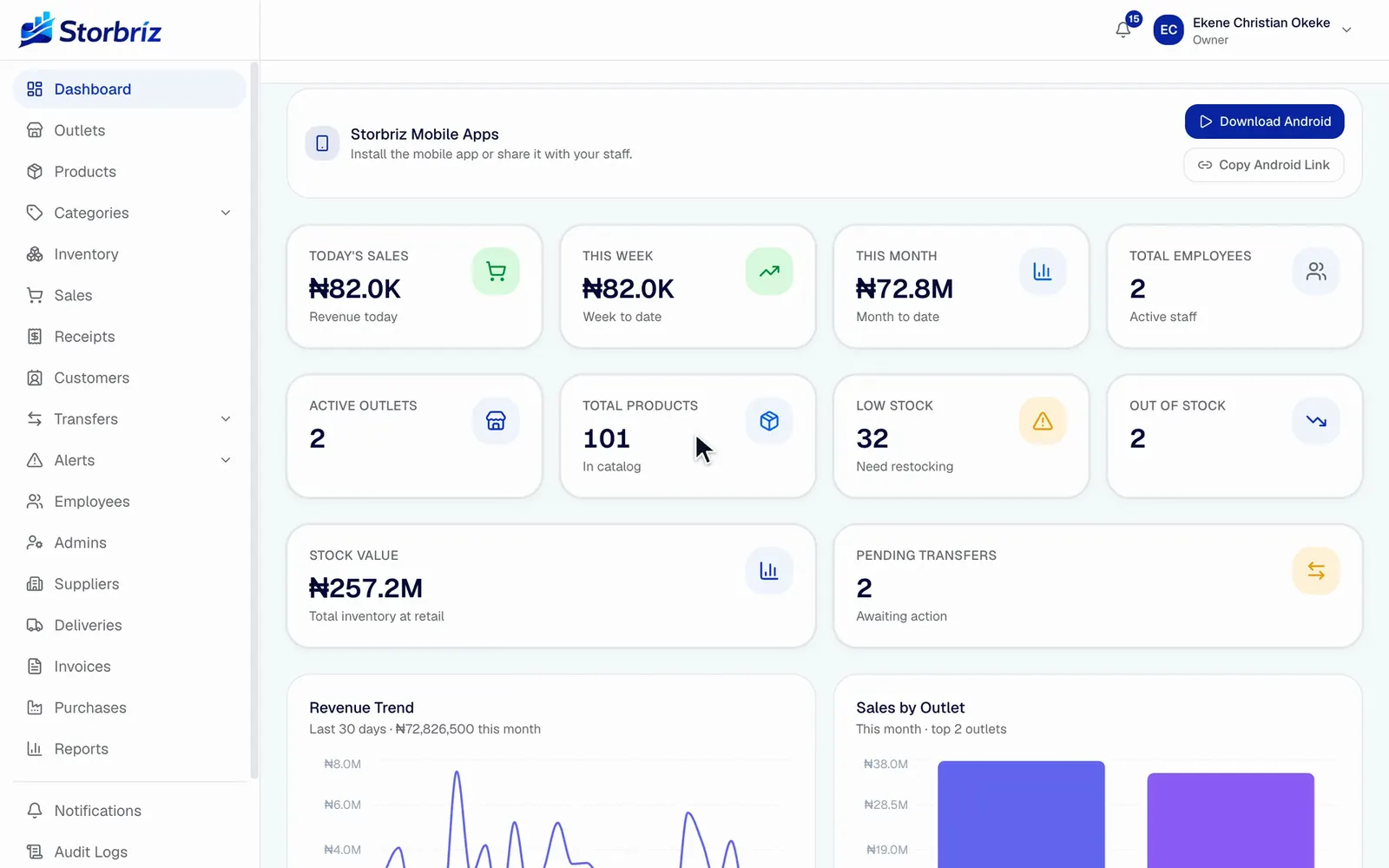
Today’s sales, the month so far, stock value, low stock and pending transfers across all outlets.
Product tour
See it work. Real screens, real recordings.
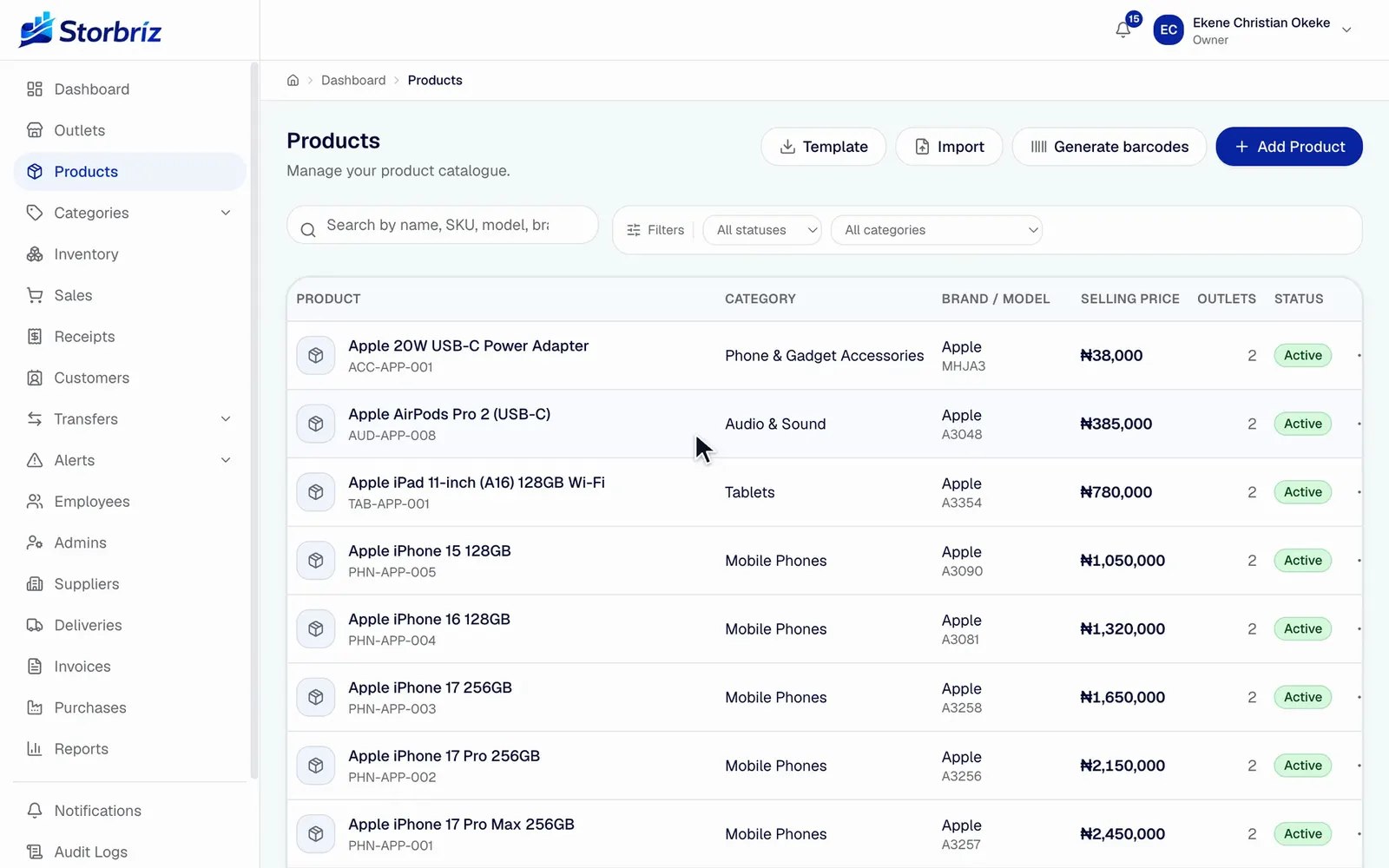
Press play to watch the recording.1.35x speed
Add a product
Name, category, brand, prices. The SKU is generated and the margin is worked out as you type.
Recorded in a demo workspace on the live product. Names and figures are demo data. Tap a step to jump to it.
Stock and outlets
Know what is in every shop without phoning the manager.
Counted per outlet
A product exists once. Its quantity, reserved units, threshold and optional price are tracked at each outlet.
Low stock flagged
Set a threshold per product per outlet. Items at or below it appear on the low-stock list and raise an alert.
Every change explained
Sales, adjustments, transfers, returns and damage each write a ledger entry with the count before and after.
Transfers with a trail
Create a transfer, dispatch it, and the receiving outlet confirms what arrived. Partial receipts record the difference.
Sell here, collect there
A sale at one outlet can be fulfilled from another. Revenue stays with the selling outlet and stock leaves the fulfilling one.
How a stock transfer runs
- CreatePick the source outlet, the destination, and the products and quantities.
- DispatchStock leaves the source outlet and the transfer is marked in transit.
- NotifyStaff at the destination see the incoming transfer in the app.
- ReceiveThey confirm what arrived. A short count is saved as a discrepancy.
- LedgerBoth outlets get a stock movement entry, so the trail is complete.
Diagram of the workflow as built. Transfers are available on multi-outlet plans.
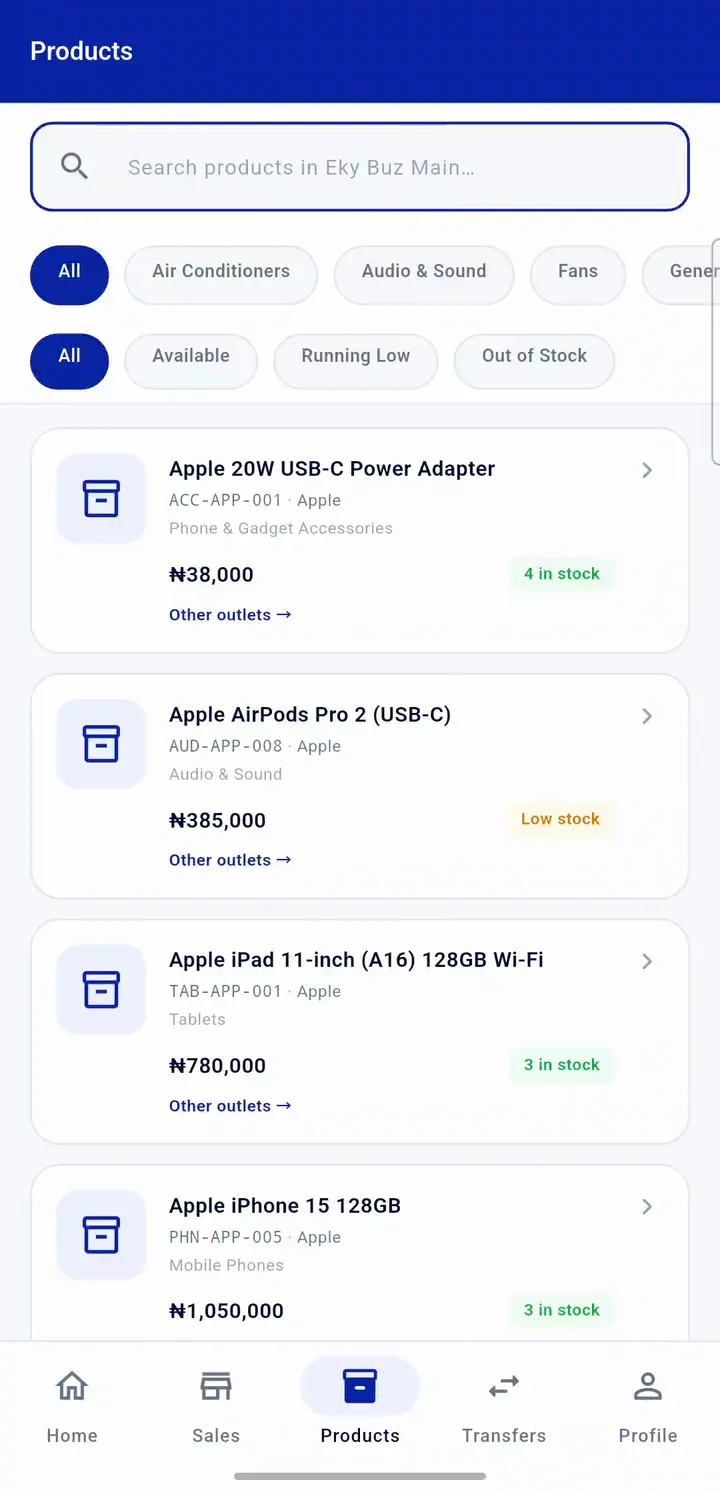
Search a product, see how many units the other outlet has, then open its stock detail and filter for items running low.
Sales and everyday operations
A counter that keeps its own records.
Fast at the counter
Search by name, SKU or barcode, set quantities, apply a discount within the limit you set, and take cash, transfer, card or credit.
Receipts, printed or reprinted
Customer and merchant copies from the browser, or from an Android phone to a Bluetooth receipt printer. Every reprint is logged.
Serial, IMEI and warranty
Mark a product as needing a serial number or IMEI and the till asks for it. Both print on the receipt with the warranty period.
A name on every sale
Staff sign in with their own ID and PIN. The cashier, the default price and the price actually charged are all saved.
Five roles
Owner, Admin, Manager, Cashier and Employee, each seeing only what their role and outlet allow.
One sale, four records, written once
- ReceiptListed with outlet, cashier, customer, payment and amount.
- Stock ledgerEach item leaves the outlet it was sold from, with the count before and after.
- CustomerThe buyer becomes a customer record that every later purchase adds to.
- ReportThe sales summary for that outlet and day already includes it.
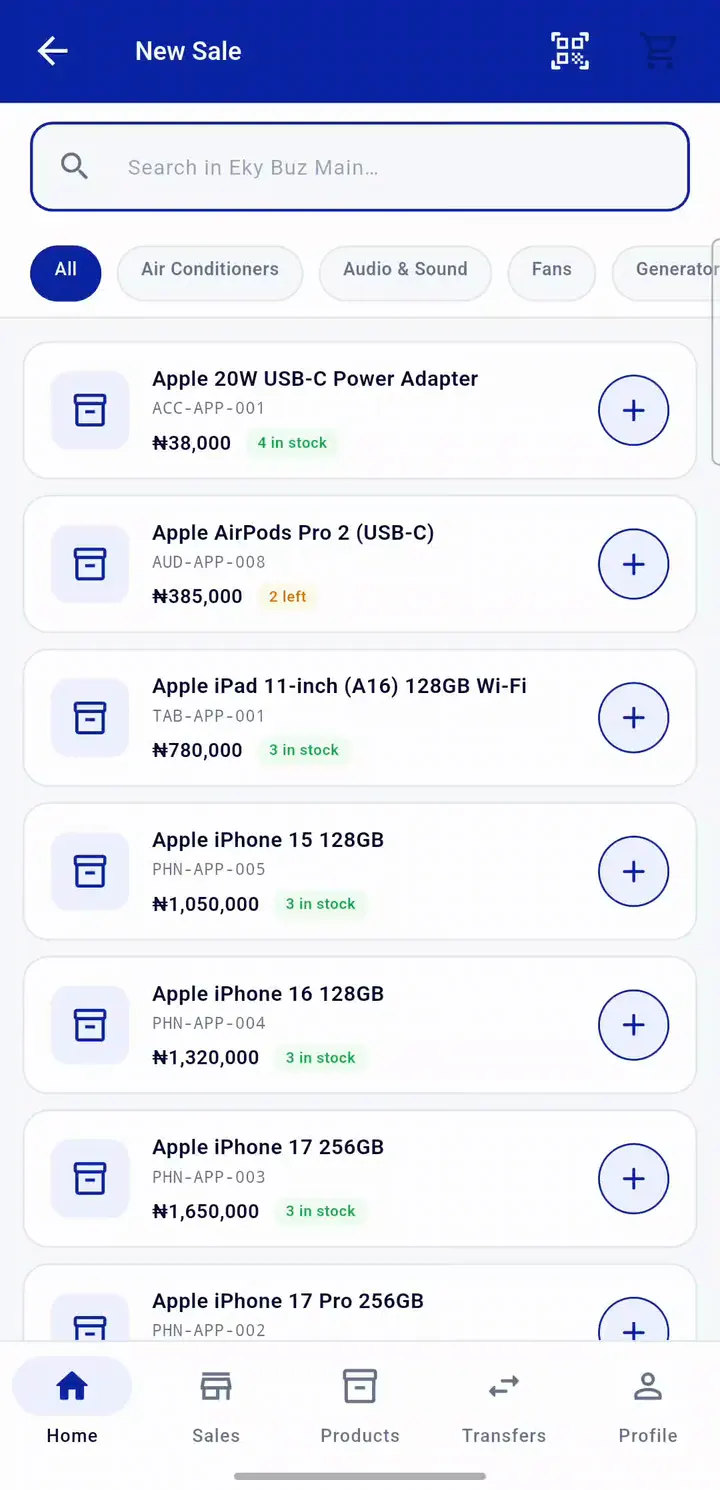
A manager sells two screen protectors from an Android phone, takes cash and gets the receipt number straight away.
Reporting and insights
Nineteen reports. Filter, download, done.
- Filter any report by date range, outlet and employee.
- Download as CSV or Excel, or print from the browser.
- Price variance shows where items sold below their default price, and by whom.
- The dashboard carries sales today, this month, stock value and alerts across all outlets.
The figures in the recording are from the demo workspace. Your reports show your numbers.
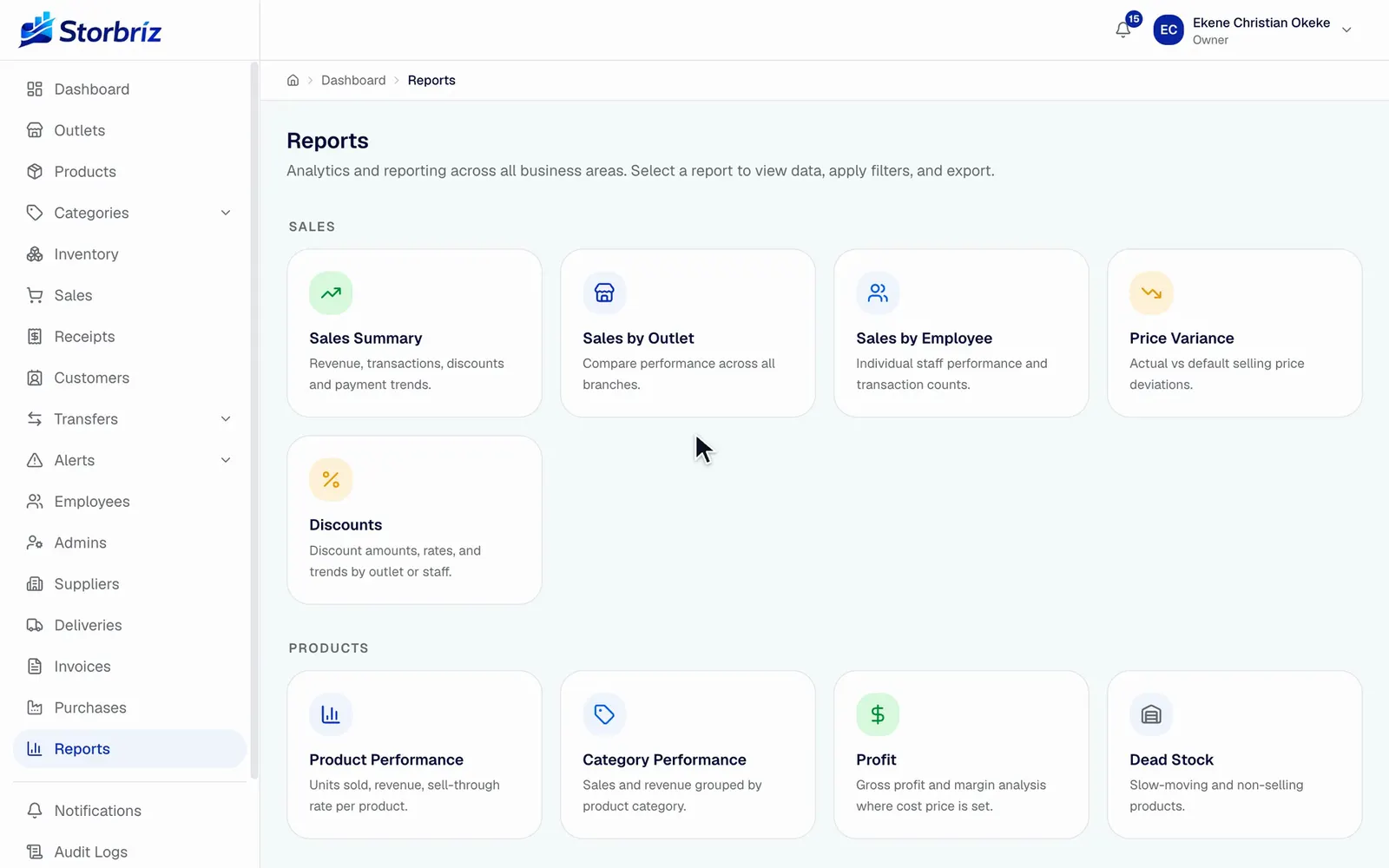
Pick a report, narrow it to one outlet, and read revenue, transactions, average sale and payment mix.1.15x speed
Sales
- Sales summary
- Sales by outlet
- Sales by employee
- Price variance
- Discounts
- Payment methods
- Receipts
Products
- Product performance
- Category performance
- Profit
Inventory
- Inventory valuation
- Stock movements
- Low stock
- Out of stock
- Product transfers
- Sales transfers
People
- Customers
- Employee activity
- Audit logs