
Retail inventory and point of sale
Know every unit, in every outlet, after every sale.
Storbriz is inventory and point of sale for phone, laptop, electronics and appliance shops. Record a sale at the counter and the stock count, receipt, customer record and reports all update from it.
Watch Storbriz in use
Real screen recordings of Storbriz in a demo workspace, with no mock-ups. Where a clip plays faster than real time, its caption says by how much.
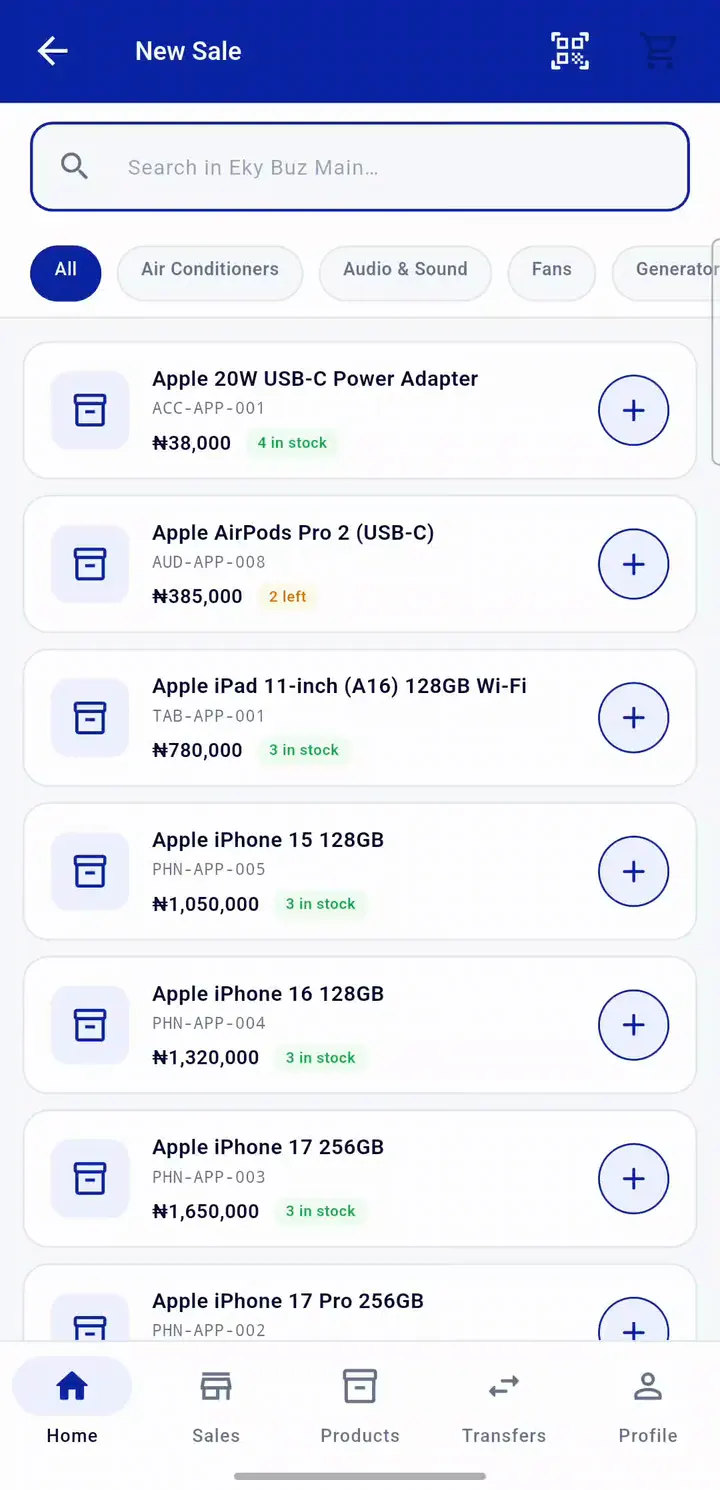
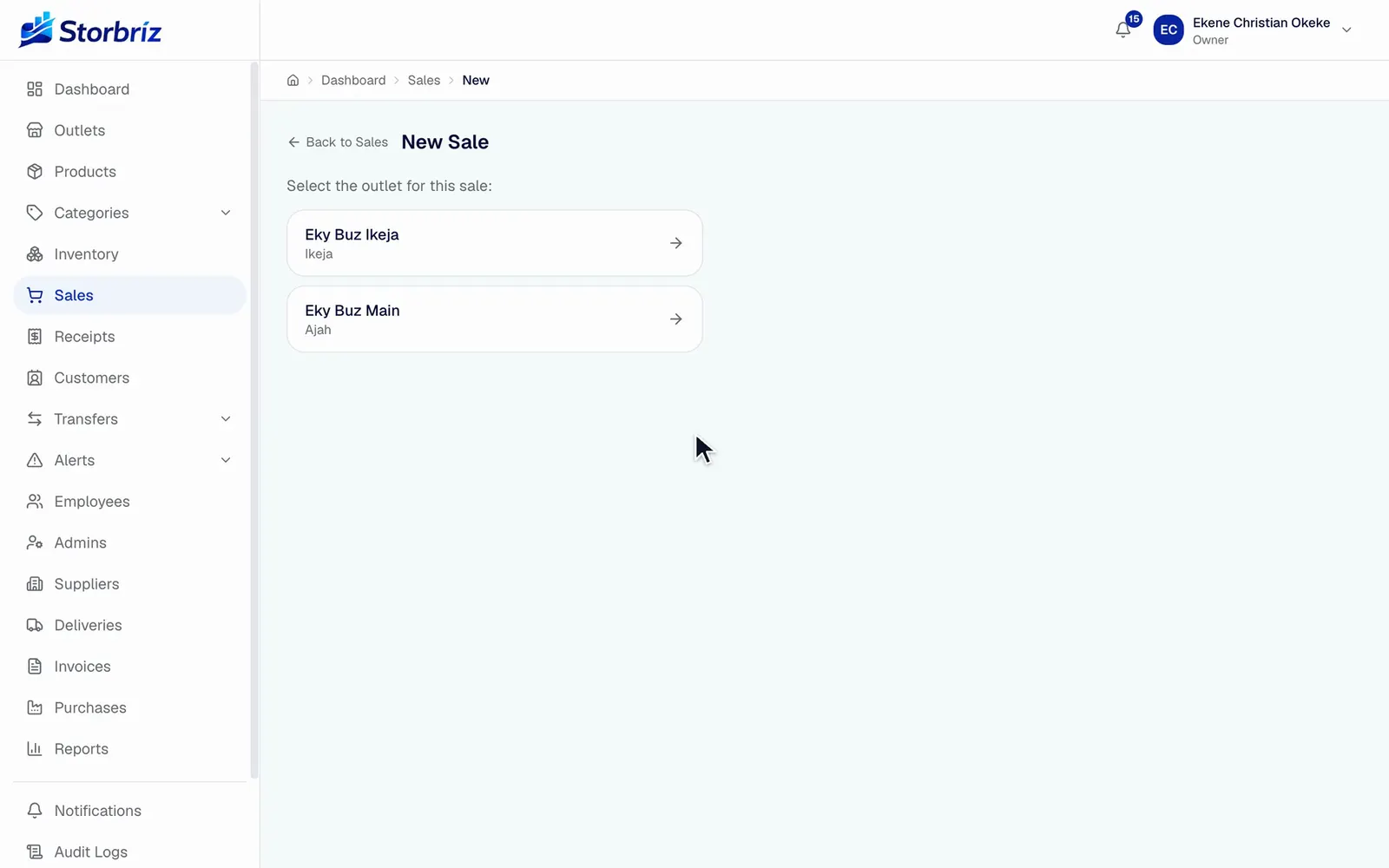
Record a sale at the counter
Search by name, add items, take cash and hand over change. The receipt is ready the moment the sale completes.
Plays at 1.2x real speed, with no cuts.
Products
Set up products the way electronics are sold.
A phone needs its IMEI recorded. A laptop needs a serial number and a warranty. A screen protector needs a quick SKU and a barcode. One product form handles all three.
Watch a product being added0:34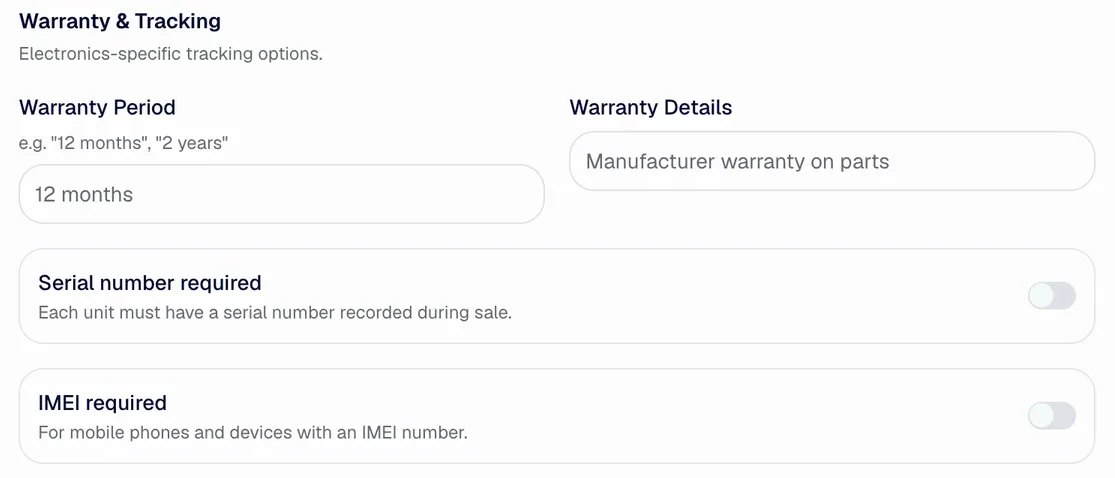
- Serial number or IMEI at the counter
- Turn it on for a product and each unit sold must have its serial number or IMEI recorded.
- Warranty on the product
- Set the warranty period and terms once, on the product itself.
- SKU and margin as you type
- The SKU is built from category, brand and model. The gross margin updates as you enter cost and selling price.
- Barcodes and bulk import
- Add a barcode to each product, generate barcode labels, and bring in your catalogue from a CSV or Excel file.
One sale, traced
Sell once. The rest of the business updates from it.
This is one real sale from our demo workspace, followed through the app. The receipt list, stock ledger, customer record and sales report all took it from the counter.
Each capture below scrolls sideways to show every column.
01 Receipt
A receipt number the moment it completes
The sale is listed with its outlet, cashier, customer, payment method and amount, ready to reprint.
my.storbriz.com
/dashboard /receipts 

02 Stock ledger
Each item leaves the shelf it was sold from
Stock drops at the outlet that made the sale. The ledger keeps the count before and after, and the receipt number as the reason.
my.storbriz.com
/dashboard /inventory /movements 

03 Customer
The buyer becomes a customer record
Kemi Adebayo was added at the till. Her record now counts one order and ₦44,000 spent, and every future purchase adds to it.
my.storbriz.com
/dashboard /customers 

04 Sales report
The report already includes it
Open the sales summary for that outlet and day and the sale is there, with its items and total. Nobody entered it twice.
my.storbriz.com
/dashboard /reports /sales-summary 

Each station shows the real table header and the row for this sale, cropped from the web app. The dashed rule marks where rows for other sales were left out.
Stock
Stock is counted per outlet, not in one big pile.
Each product has its own count and low-stock level at every outlet. When a sale, adjustment or delivery changes a count, the ledger records who did it and why.
- Low-stock levels per outlet
- Set a different threshold at each outlet. Anything below it shows on the dashboard and the low stock list.
- A ledger for every change
- Each movement keeps the count before and after, the reason and the person who made it. Export it for an audit.
- Stock at the other outlet
- Staff can see what another outlet has before they turn a customer away.
- Transfers between outlets
- Send stock from one outlet to another and confirm it on arrival. Transfers are available on selected plans; compare plans.
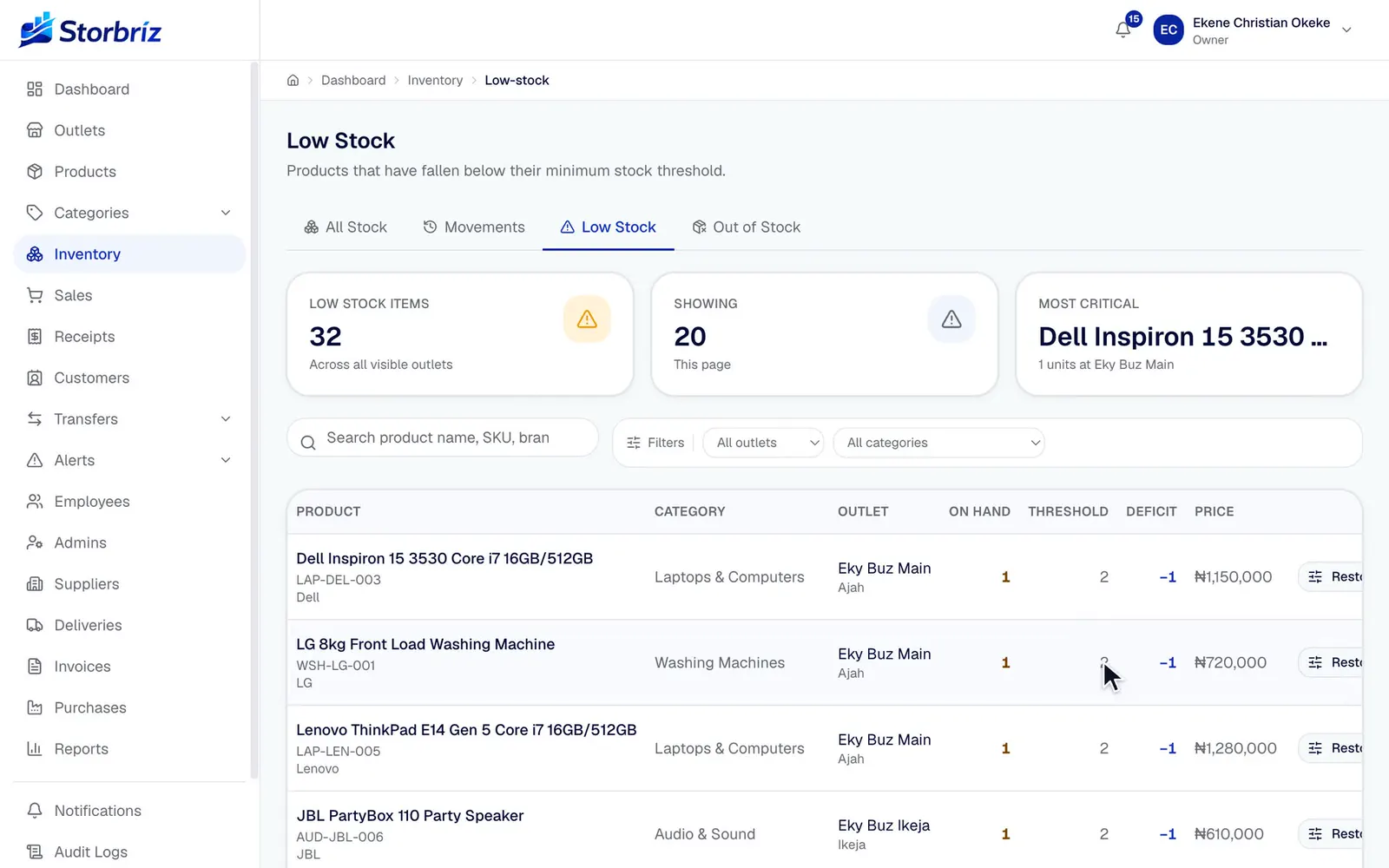
Dashboard and reports
See every outlet without phoning each one.
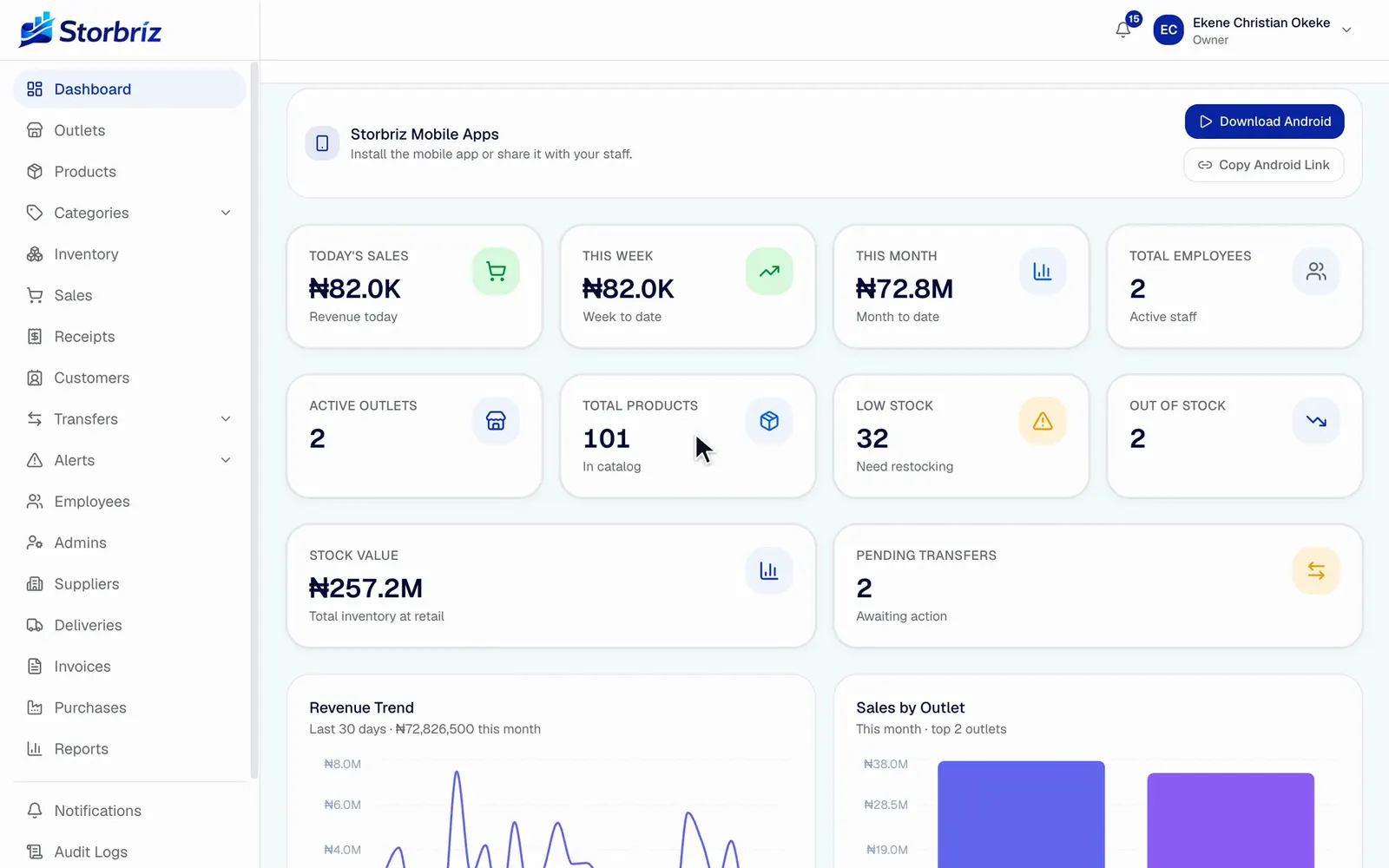
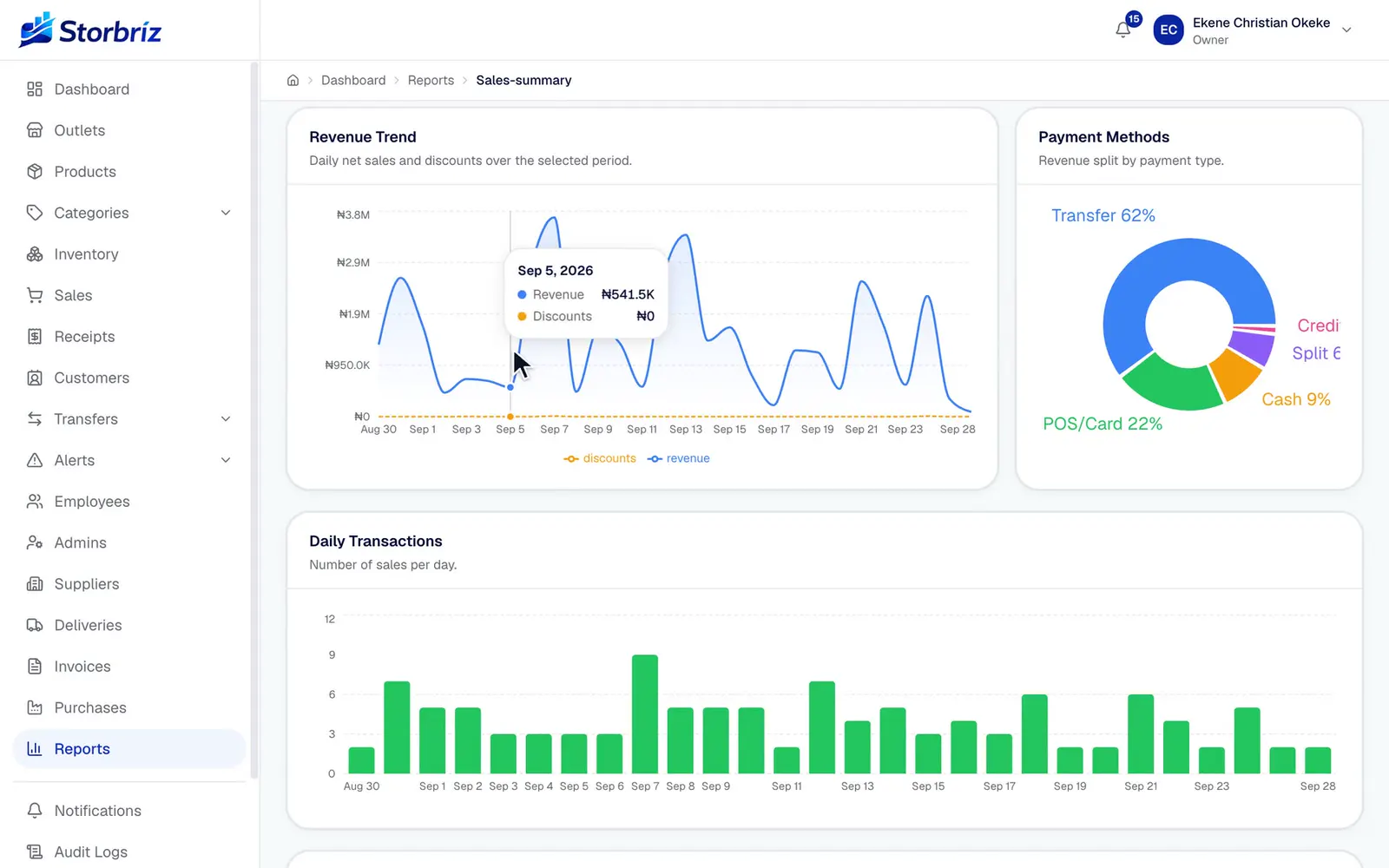
The dashboard opens on today's sales, the month so far, stock value and alerts. Reports go further: filter by date, outlet, staff member or payment method, and see which sales went out below the listed price.
Reports in the app
Sales
- Sales summary
- Sales by outlet
- Sales by employee
- Price variance
- Discounts
Products
- Product performance
- Category performance
- Profit
Inventory
- Inventory valuation
- Stock movements
- Low stock
- Out of stock
Payments
- Payment methods
- Receipts
- Customers
Transfers
- Product transfers
- Sales transfers
People
- Employee activity
- Audit logs
Some reports depend on your plan. See what each plan includes.
Mobile app
The counter can be a phone.
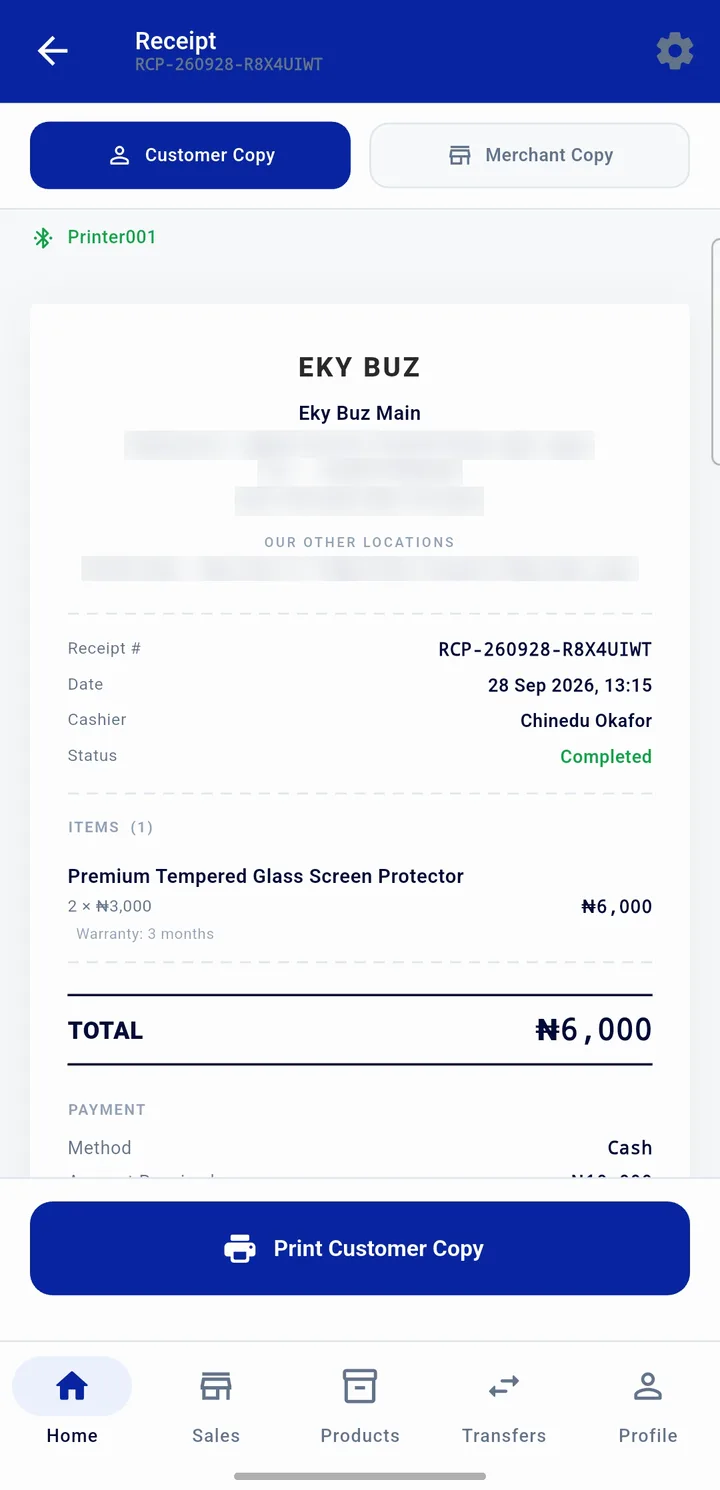
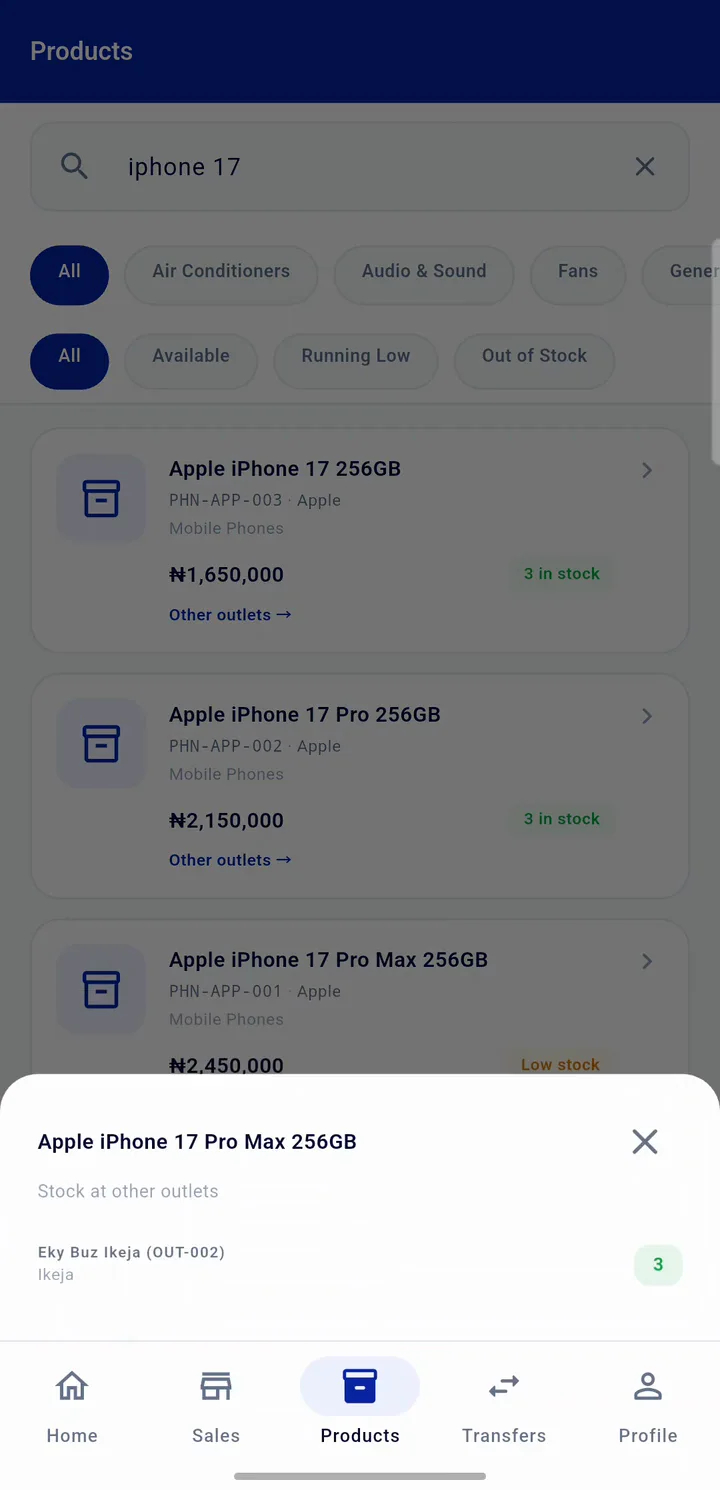
Staff sell, look up stock and print receipts from the Storbriz mobile app, signed in to the outlet they work at. Sales land in the same stock, reports and customer records as the web app.
- Bluetooth receipt printing
- Pair a thermal printer once, then print the customer copy and the merchant copy at the counter.
- Stock across outlets
- Search a product and see how many units each of your other outlets has.
- Only their outlets
- Staff sign in with their ID and PIN and see only the outlets they are assigned to.
Staff and customers
Know who sold it, and who bought it.
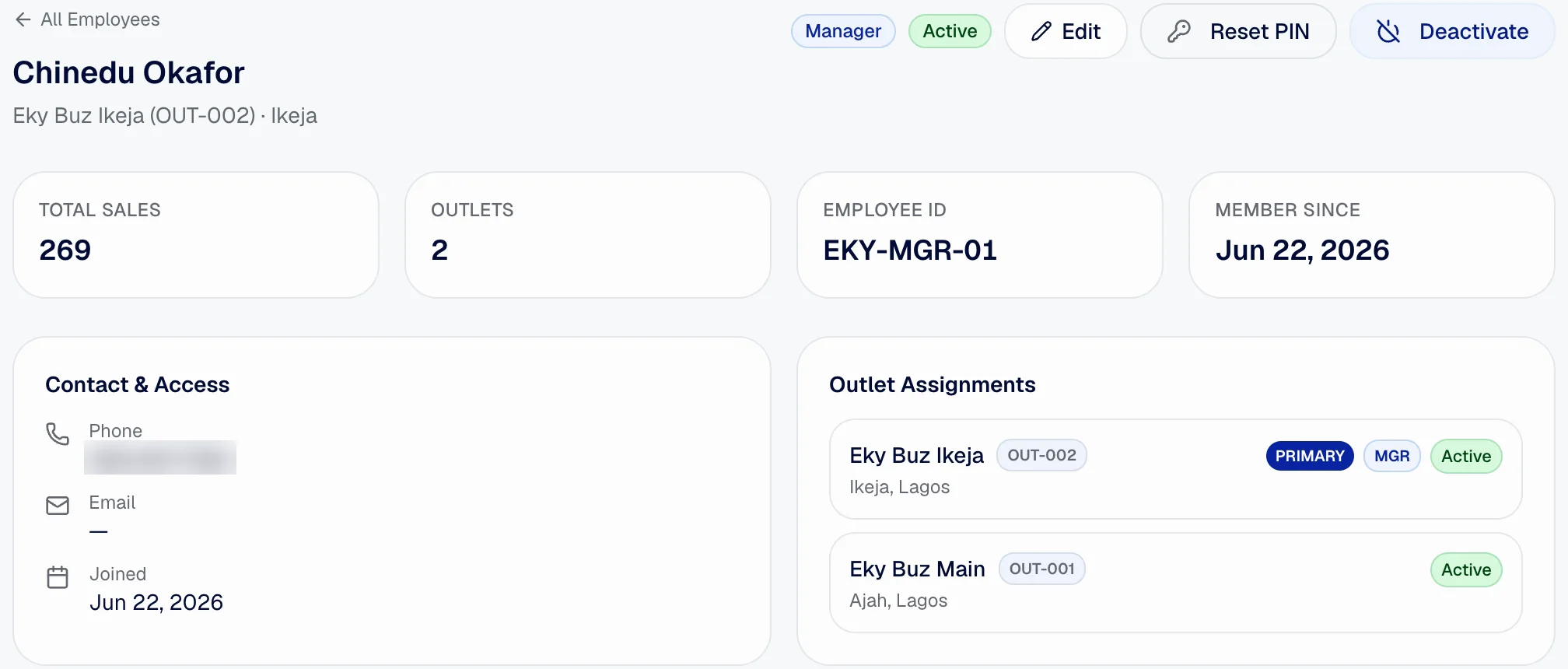
Staff
Each person signs in with a login ID and PIN, no email needed. Assign them to one outlet or several, make them manager of one, reset a PIN, or deactivate them when they leave. Their sales stay on record.
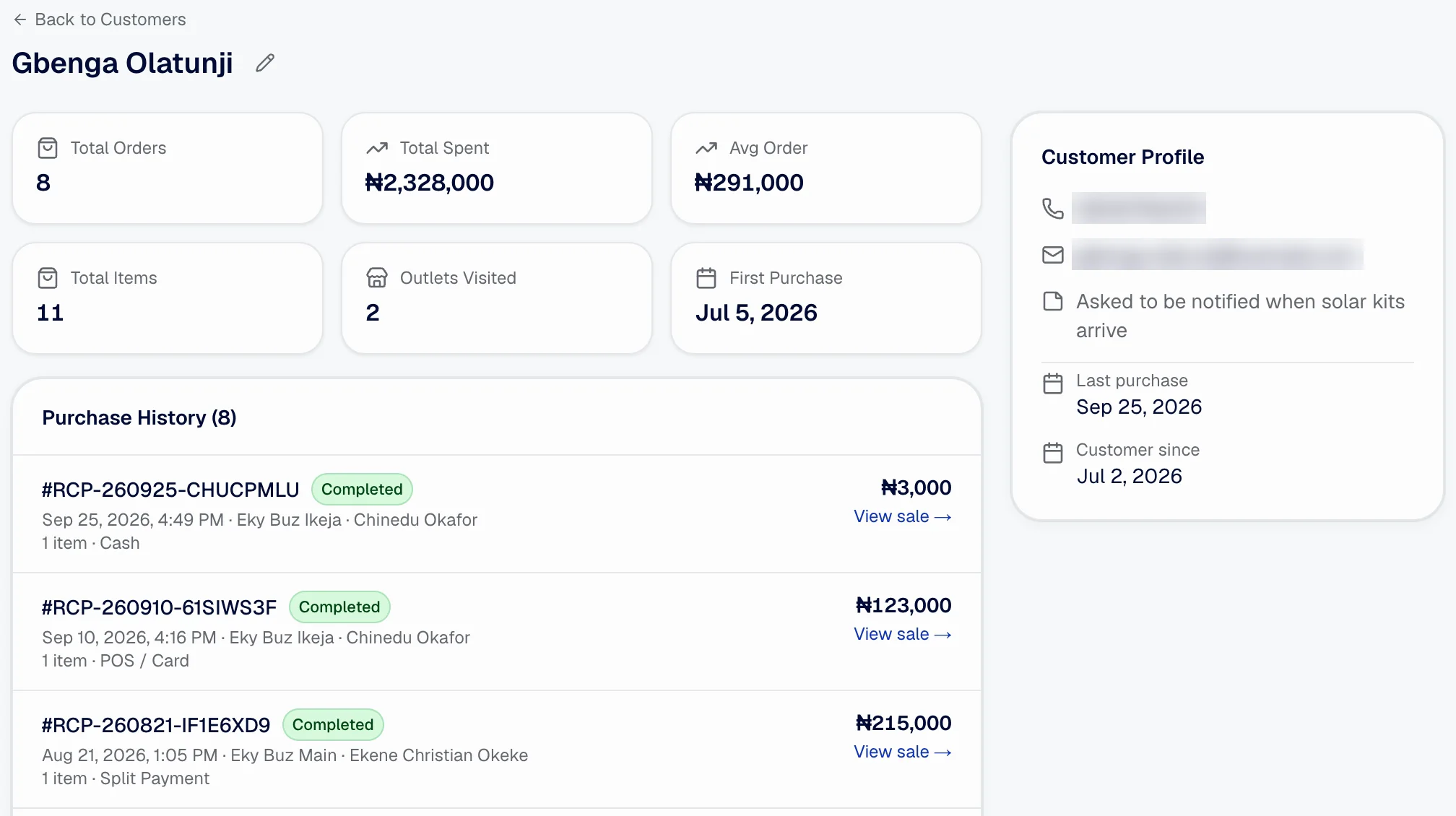
Customers
Add a customer at the till with a name and phone number. Their record keeps every purchase, the total spent, the outlets they bought from and your notes, so a warranty question starts with the receipt.
Contact details in these captures are blurred.
Control
Built to be checked.
- Audit log
- Sensitive actions such as price changes, stock adjustments, cancelled sales and sign-ins are logged with who did them and when.
- Outlet access
- Staff only see the outlets they are assigned to, on the web and on the phone.
- Your own workspace
- Each business has its own workspace. Other businesses on Storbriz cannot see your products, sales or customers.
- People you can reach
- Email support@storbriz.com or call 0916 664 0283. Storbriz is based in Nigeria.
Pricing
Start with Explorer. Move to a monthly plan when you are ready.
Explorer is a paid first month with full access, so you can set up real products, staff and sales. Prices are in naira.
Can my staff use it?
Yes. Staff sign in with an ID and PIN, no email needed, and only see the outlets you assign them to. The sales screen is simple enough for a new cashier on their first day.
Can I manage more than one outlet?
Yes. Each outlet keeps its own stock, sales and staff, and you see all of them from one dashboard. Moving stock between outlets with transfers is available on selected plans; the pricing page shows which.
Does stock update after a sale?
Yes, straight away. A completed sale reduces stock at the outlet that made it, and the movement ledger records the change with the receipt number.
Can we use it on a phone?
Yes. Staff can sell, look up stock and print receipts from the Storbriz mobile app. Owners can open the dashboard in any phone browser.
Can I print receipts?
Yes. Print from the browser on the web, or pair a Bluetooth thermal printer with the mobile app and print a customer copy and a merchant copy at the counter.
Can I record serial numbers and IMEIs?
Yes. Turn on serial number or IMEI tracking for a product and each unit sold must have one recorded. You can also set a warranty period and terms on each product.
Can I change plans later?
Yes. Start on Explorer or any monthly plan and move up when you add outlets, staff or products. You manage your plan from the billing page in your workspace.